 AppID: 2215200
1 / 5

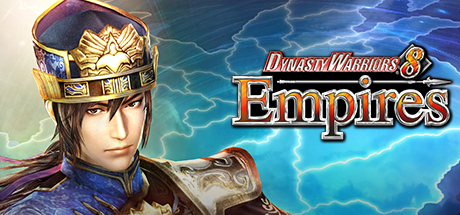
DYNASTY WARRIORS 8 Empires is part of the "Empires" series, in which you aim to conquer ancient China using both strategy and the one warrior versus one thousand tactical action the WARRIORS series is known for.
Dapatkan akses penuh ke game Dynasty Warriors 8 Empires lisensi original untuk platform Steam PC Anda. Produk ini disediakan dengan pengiriman instan otomatis 24 jam sehari, 7 hari seminggu langsung ke alamat email dan kontak WhatsApp yang Anda daftarkan saat melakukan pemesanan.
Dengan lisensi resmi Steam, Anda mendapatkan seluruh hak akses bermain seumur hidup (lifetime access), bebas update berkala resmi dari developer, dukungan fitur Steam Cloud Sync, multiplayer online resmi (jika game mendukung mode daring), serta pencapaian Steam Achievements tanpa risiko banned atau kendala akun.
File game diunduh murni melalui server resmi Valve / Steam. Tanpa modifikasi file pihak ketiga, bebas malware atau virus.
Jaminan penggantian lisensi baru tanpa batas waktu (lifetime warranty) jika terjadi kendala teknis aktivasi.
Sistem kami memproses pesanan Anda dalam hitungan menit setelah konfirmasi pembayaran berhasil diverifikasi.
Dapat diaktifkan langsung di akun Steam Indonesia maupun region manapun tanpa perlu menggunakan VPN atau software tambahan.
Buka klien resmi Steam di komputer atau laptop Anda, lalu login ke akun Steam pribadi Anda.
Klik menu Games di bilah atas, lalu pilih opsi "Activate a Product on Steam...".
Klik tombol Next lalu klik I Agree pada perjanjian pelanggan Steam.
Ketik atau salin kode produk yang Anda terima pada kolom Product Code, lalu klik Next.
Game otomatis masuk permanen ke tab Library Steam Anda. Klik Install untuk mulai bermain!
The following options are available for language display within the game: - English - Chinese (traditional) - Japanese When starting the game for the first time, the language setting will be set automatically according to that of your Steam client, as below. - Steam client: English → In-game language: English - Steam client: Japanese → In-game language: Japanese - Steam client: Chinese-traditional → In-game language: Chinese-traditional - Steam client: Other than the above → In-game language: English When you set the display language in the game library, you can change the language you want to use and load the save data. 1. In the Game Library, right click the game title and choose "PROPERTY" 2. Choose the "LANGUAGE" tab and select the language you want to use from the pull-down menu. If the language still cannot be set to the language of your choice, please follow the procedures below. 3. In the Game Library, right click the game title and choose "PROPERTY" 4. After selecting the "LOCAL FILES" tab, click on "VERIFY INTEGRITY OF GAME FILES" Note that save data is prepared for each language, so you can load data using the same language setting as the one you used when performing the save.
Pastikan spesifikasi komputer atau laptop Anda memenuhi persyaratan sistem di bawah ini agar game Dynasty Warriors 8 Empires dapat berjalan dengan lancar dan optimal.
Pengiriman instan otomatis ke email & nomor WhatsApp Anda